> For the complete documentation index, see [llms.txt](https://docs.gensyn.ai/llms.txt). Markdown versions of documentation pages are available by appending `.md` to page URLs; this page is available as [Markdown](https://docs.gensyn.ai/tech/ree/get-started.md).
# Get Started
Install REE, launch the TUI, and run your first reproducible generation.
## Quickstart Guide
Everything you need to go from zero to your first receipt: **\[1]** prerequisites, **\[2]** installation, and **\[3]** a guided first run.
{% hint style="info" %}
REE supports reproducible inference on models up to 72B parameters, with pipeline parallelism available for models that exceed a single GPU's memory. This provides a benefit on multi-GPU hosts.
{% endhint %}
### Prerequisites
* [**Docker**](https://www.docker.com/get-started/) installed and running.
* [**Python 3**](https://www.python.org/downloads/) installed on your machine.
* **Disk Space Requirements:** The compressed REE container image is roughly 7 GB. When uncompressed, it occupies approximately 12 GB on disk.
* **NVIDIA GPU Driver Requirements:** Linux requires version **570.00+** and Windows requires **572.16+**. Check your current driver version with `nvidia-smi`.
{% hint style="info" %}
To update your drivers, visit [NVIDIA Driver Downloads.](https://www.nvidia.com/en-us/drivers/) If your system lacks a compatible GPU or driver, you can still execute `ree.sh` with the `--cpu-only` flag for CPU-only mode.
{% endhint %}
For a minimal SDK application example, see the SDK Hello World example in the REE repository.
### Installing REE
Clone the [GitHub repository](https://github.com/gensyn-ai/ree) and navigate into it:
```bash
git clone https://github.com/gensyn-ai/ree.git
cd ree
```
No additional installation or dependency management is required. The TUI handles pulling the REE container image automatically on your first run.
{% hint style="info" %}
The repository also includes `ree.sh`, a lower-level shell script that `ree.py` calls under the hood. You shouldn't need to use `ree.sh` directly unless you're debugging or working on an [advanced integration.](/tech/ree/advanced-usage.md)
{% endhint %}
### Updating REE
To update REE, pull the latest repository changes and run the TUI again:
```bash
cd ree
git pull
python3 ree.py
```
The TUI calls `ree.sh`, which automatically pulls the configured REE container image (`gensynai/ree:v0.8.0`).
{% hint style="warning" %}
**Receipt compatibility:** `v0.6.0` changes the bit-level output of the 3D RMSNorm kernel. Some receipts generated with `v0.5.0` may not re-verify with `v0.8.0`. Verify legacy receipts with a compatible `v0.5.0` environment. Generate new receipts with `v0.8.0`. See [Receipts](/tech/ree/receipts.md).
{% endhint %}
### Launching the TUI
The TUI opens with an interactive form where you can configure and launch generations entirely from within the interface without the need to manually assemble CLI commands.
From the `ree` directory, run:
```bash
python3 ree.py
```
If you prefer the command line, REE can also be driven directly via `ree.sh` or the `gensyn-sdk` CLI without the TUI. This may be preferable if you're scripting, working in a CI pipeline, or using a coding agent like Claude Code. See the [Advanced Usage & CLI Reference](/tech/ree/advanced-usage.md) for the full CLI documentation.
### Your First Run
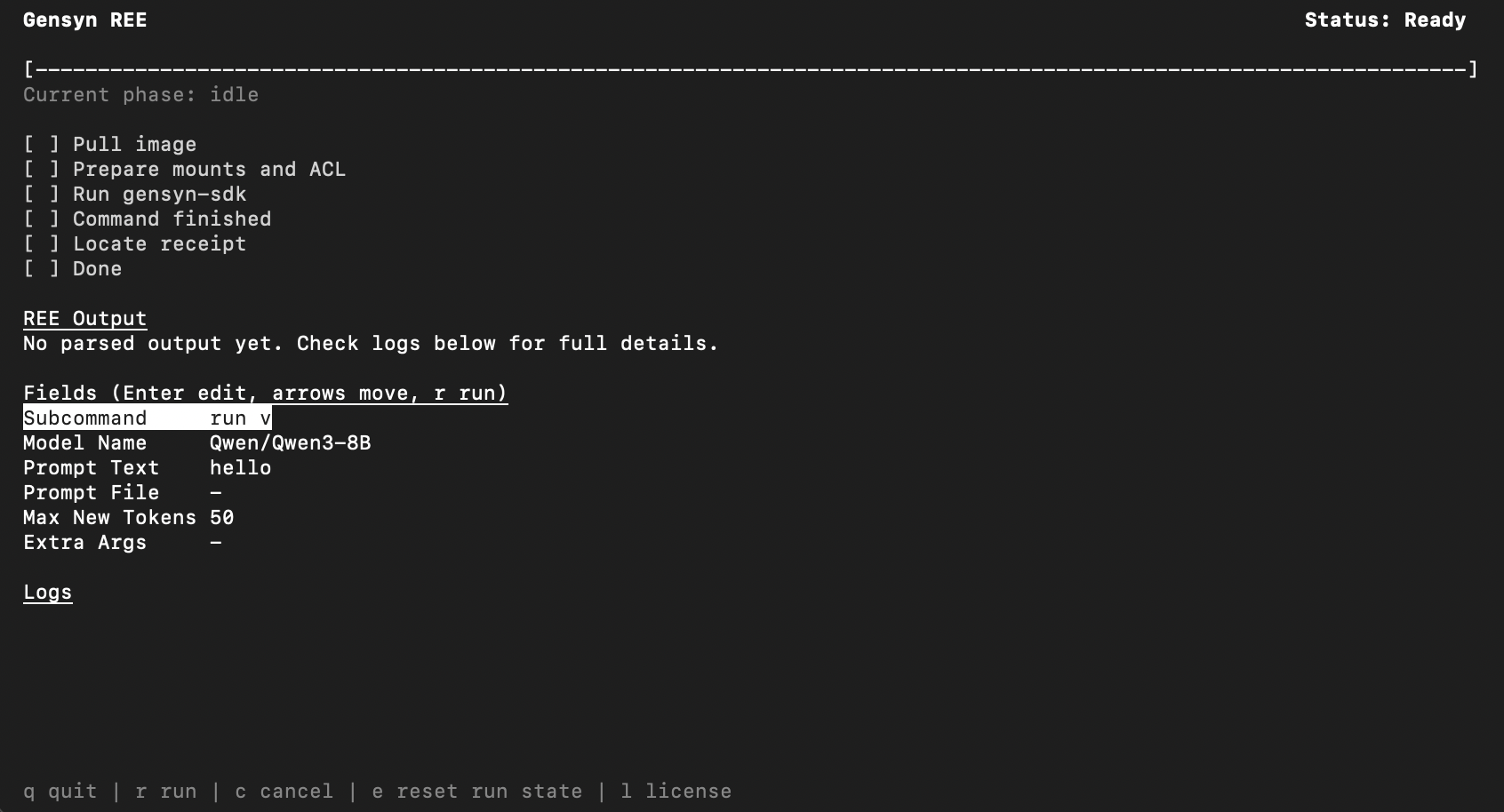
When the TUI launches, you'll see this form:
To run your first generation:
1. Use the **arrow keys** to navigate to **Model Name** from this list and press **Enter** to edit it.
2. Navigate to **Prompt Text** and press **Enter**. Type a simple prompt like `Hello world`.
3. Set a **Max New Tokens** count.
4. Press **`r`** to run.
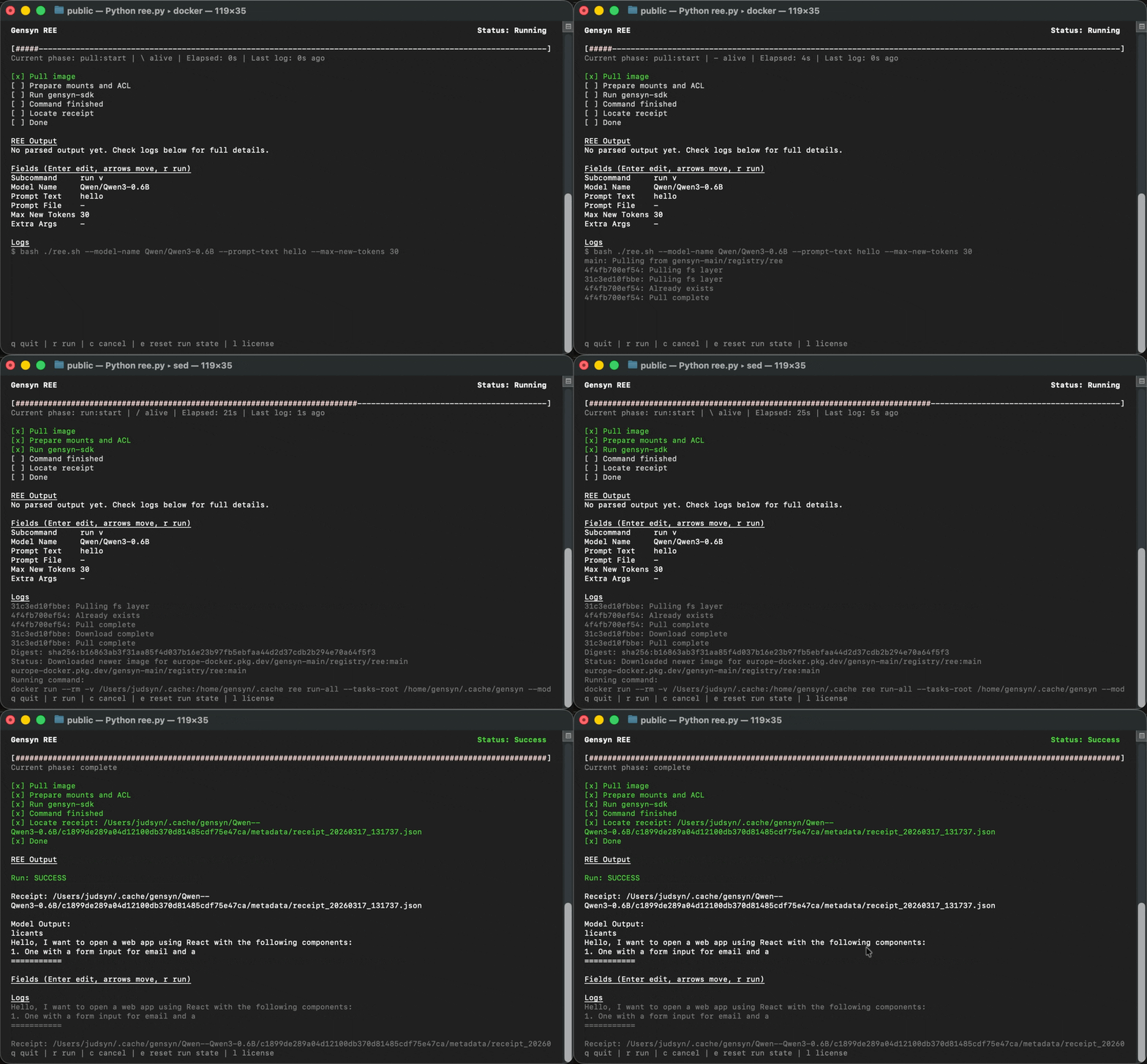
REE will pull the container image, prepare the model, run inference, and display a progress checklist:
Once complete, you'll see the **REE Output** section showing the [receipt](/tech/ree/receipts.md) file path and the model's generated text.
{% hint style="info" %}
If you used a Hugging Face test model or small-parameter model, the output may be nonsensical. This is expected, since these models either have random, untrained weights or consume too few tokens to produce a polished output. The important thing is that the pipeline ran successfully.
{% endhint %}
From here you can press **`e`** to reset and configure another run, **`r`** to re-run with the same settings, or **`q`** to quit.